Peel off the sticky notes.
Tidyback puts your office's tasks, checklists, reminders, mileage and documents in one app the whole team shares. You pay once, it runs on accounts in your name, and we never see your data.
- Runs on your own accounts
- We never see your data
- One price, paid once
- Built to keep your team on task
- Works on your phone first
Most small offices run on memory and paper.
- Tax time: the accountant asks for the petty cash log, and nobody can find it.
- The security and compliance checks we know we should do keep slipping.
- The license renewal is on a note somewhere.
- Who was handling that? Nobody's quite sure.
- We pay four apps, per person, every month.
- March mileage is still in someone's head.
Everyone on the same page.
Tidyback runs in the cloud on your office's own accounts, so the phone at the front desk and the computer in the back show the same list, kept in sync.
- Checklists update for everyoneWhen someone checks off a step, the whole team sees it, along with who did it and when.
- Assignments out in the openEvery task has an owner and a due date the group can see, so nothing falls between people.
- Reminders up frontWhat's overdue and what's due this week sits on everyone's home page.
- Synced on every devicePhones, tablets and computers, all showing the same thing.
Made for the phone already in your pocket.
Everyone on your team already carries a phone. Tidyback puts it to work: check off a step at the front desk, log a trip from the parking lot, jot down a reorder between appointments.
- Built for thumbsBig buttons and short screens, made to use with one hand.
- On the home screen, no app storeAdd it to your phone's home screen from the browser, and it opens like any other app.
- Computers tooThe same app works on tablets and computers, all kept in sync.
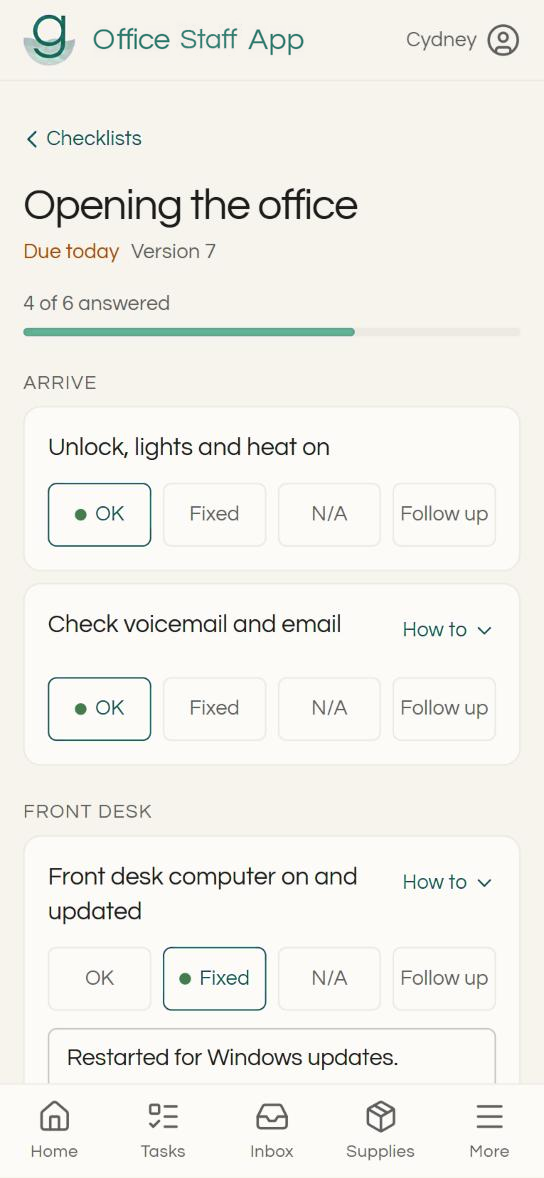
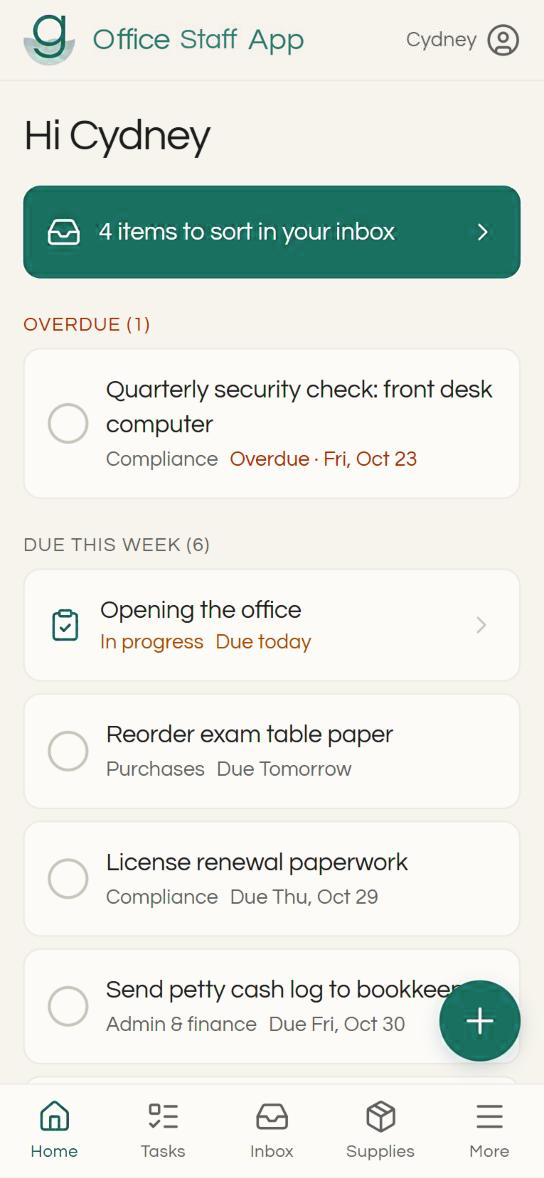
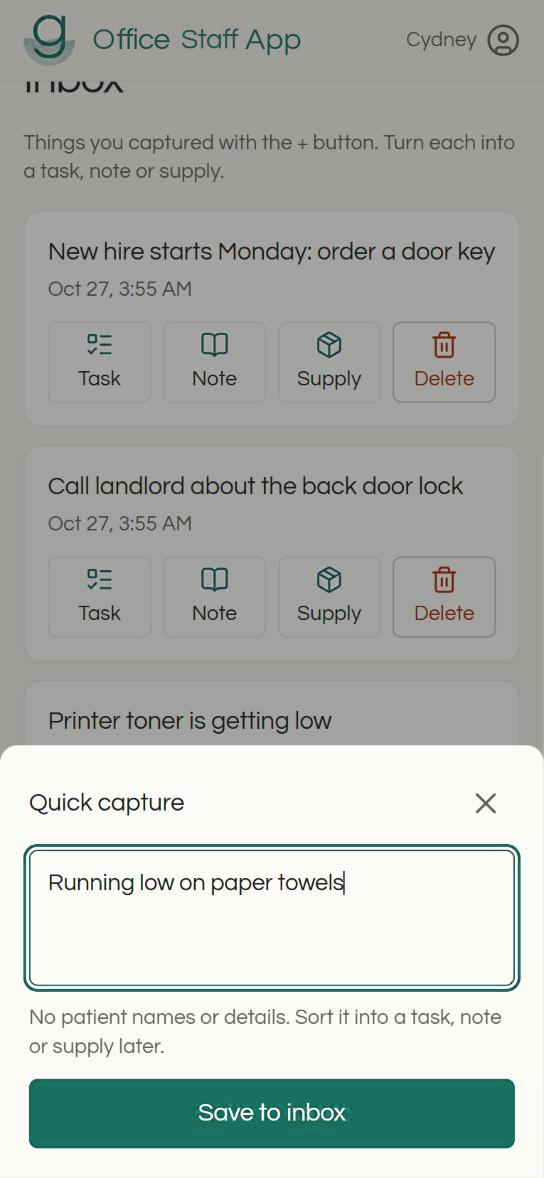
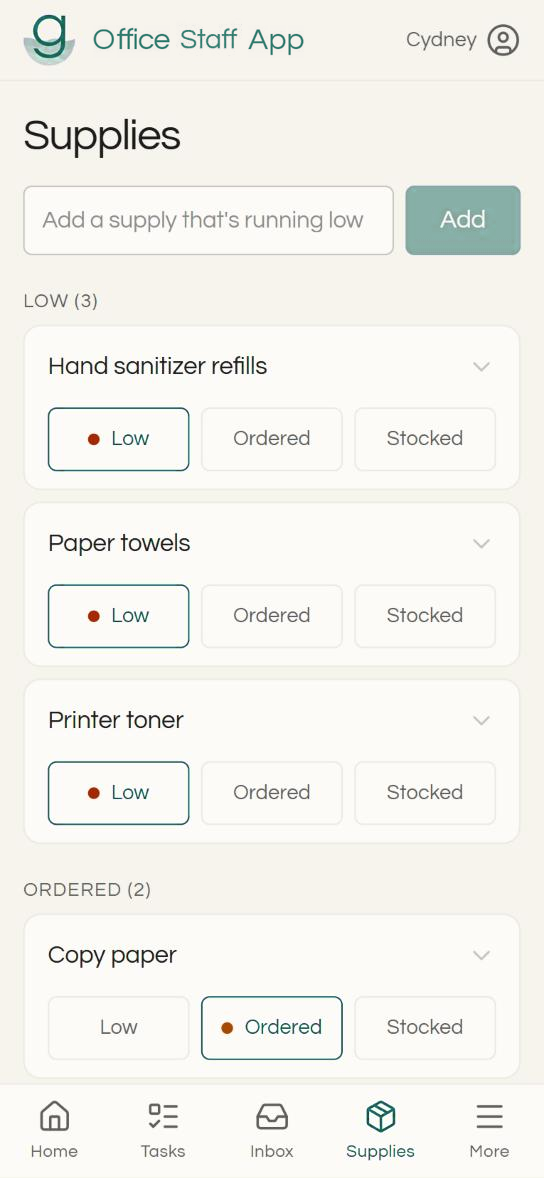
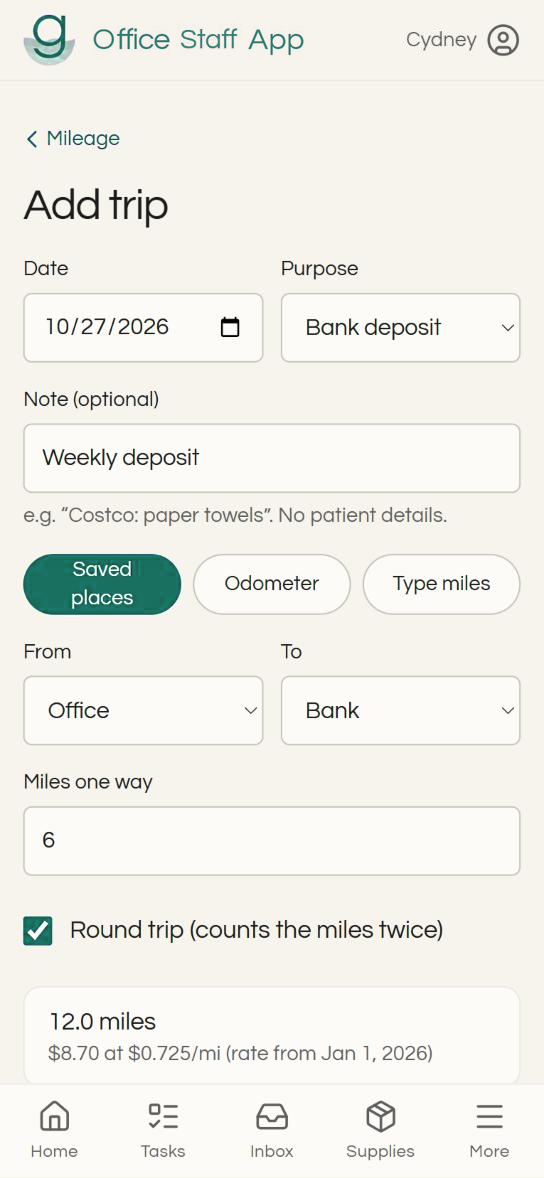
Real screens from the copy running at our first office, filled with made-up example data. Your copy shows your own business name.
The back office, in one place.
Turn on the parts you need and leave the rest off. Everything works on a phone.
Jot it down now, sort it later
Write anything down the moment you think of it. Later, make it a note, a task, a reorder reminder, anything.
Tasks with owners
Assign tasks to people with due dates, so everyone knows who's on it. Reminders sit in front of everyone on the home page.
Checklists that repeat
Run a checklist every Monday, or 30 days after the last time. Each run records who did what, and when.
Security checklists for every device
Security checklists for every computer, tablet and router, to help keep your equipment in compliance. Each review is recorded, and the next one comes due on its own.
Documents and directory
Procedures and templates stay in your Google Drive, OneDrive or other cloud storage, a tap away. Phone numbers, portals and contacts live in one directory.
A login for your bookkeeper
Your bookkeeper sees money records only, like mileage and petty cash, and the database itself enforces it. They can comment, approve and export.
Log every business mile in seconds.
Most offices lose deductible miles because logging them is a chore. Tidyback makes it a few taps, and keeps the log your accountant needs.
- Saved places and round tripsPick where you went from your usual stops, and mark it round trip with one tap.
- The right rate for each dateRates are stored by date, so each year's trips use that year's IRS rate.
- What the IRS asks forDate, miles, destination and business purpose on every trip.
- Ready at tax timeYour bookkeeper can review trips and export them by date range.
| Date | Trip | Miles | Amount |
|---|---|---|---|
| Mar 3 | Office to bank deposit, round trip | 12.0 | $8.70 |
| Mar 10 | Office to supply store | 6.4 | $4.64 |
| Mar 18 | Office to community health fair, round trip | 18.6 | $13.49 |
| Total | 37.0 | $26.83 |
We're not in the data business.
We don't collect or sell your data. We're here to help small businesses run on an efficient foundation, so you can focus on what matters: your core work, and growing it well.
- Your accounts, your recordsThe database, files and website all sit in accounts your office owns.
- Nothing sent back to usThe app has no tracking and doesn't report to us. There's nothing for us to sell, leak or lose.
- It keeps working, no matter whatYour copy runs in your accounts, so it keeps going even if we don't.
- Patient details stay outThe app is designed to keep patient and client information out of it, with prompts on every free-text box.
Made in a working practice, and still improving.
Tidyback started as the back office of a small health practice, and it's used there every day. We keep improving it, release by release, and every fix and improvement to your version is included.
- Regular releasesFixes and improvements arrive on a steady schedule.
- A public list of changesSee what changed in every release before you buy.
- Your ideas, builtSuggestions from offices like yours shape what comes next.
One price, paid once.
No monthly fees. Hosting runs on free plans to start, on accounts in your name.
- Add five more people anytime for another $500.
- More than ten people? Let's talk.
- Every fix and improvement to version 1, for as long as you use it.
- Setup help available, done together over a couple of calls.
- A free demo first, so you can see it before you buy.
Founding offices on the early list get a better deal. Bigger new features may come later as optional upgrades.
We grow together.
Loving Tidyback? Refer another business, and when they join we'll add an essential user to your license, free. Small business helping small business.
Good questions, plain answers.
Is it really one payment?
Yes. You pay once for version 1 and keep it. Hosting starts on free plans. Setup help and future upgrades are optional, and you only pay for them if you want them.
Can I see it before I buy?
Yes. We offer free demos: a short video call where we walk through Tidyback with you and answer questions. Book one below.
Do you see our data?
No. The app runs in your accounts and sends nothing back to us.
Does the whole team see the same thing?
Yes. Everyone signs in to the same app, so tasks, checklists and reminders stay in sync across phones and computers.
What if you go out of business?
Your copy keeps running, because it lives in your accounts, not ours.
Do I need to be technical?
No. We can set it up with you over a couple of calls. If you're comfortable with computers, a step-by-step guide covers doing it yourself.
Is it HIPAA compliant?
Tidyback is designed to keep patient information out, and we never have access to your data. Your own compliance still depends on how your office uses it.
Can I pay monthly?
No. Owning it outright is the point.